Your OneBlade has been with you for years, and when it’s time to change the blade, you find that the new references no longer fit your handle. This situation has become common since Philips launched its 360 range, which redesigned the blade attachment system. Before purchasing a complete device, several options are worth exploring.
OneBlade 360 Blade Compatibility: Which Handles Are Affected
The issue arises from a design change. Philips has segmented the compatibility of its 360 blades by handle families. The QP420/50 blade, for example, is advertised as compatible with the QP25xx, QP26xx, QP27xx, QP28xx series and some OneBlade Pro (QP6504, QP653x, QP654x, QP665x).
If your handle has a model number outside of these series, the 360 blade will not clip onto it. This number is usually engraved on the back of the handle or under the device. Note it down before placing any order.
You can find solutions if your OneBlade is old by accurately checking your device’s series and the blades still available for it.
OneBlade Blades and Accessories: What Remains Backward Compatible
Partial good news: accessories remain largely backward compatible. Philips indicates that several combs, guards, and attachments work with all OneBlade models, including older variants. If your handle is still functioning properly, you can continue to use it for trimming with the right accessories.
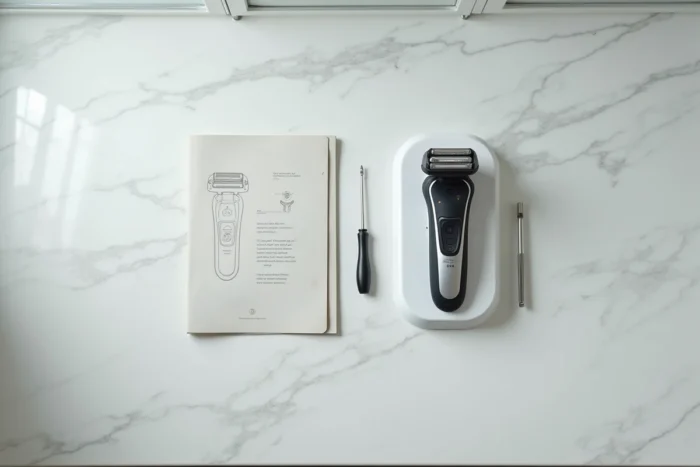
The real blockage concerns the blade itself. When the attachment system changed, the old blades are no longer produced indefinitely. Philips maintains a dedicated page for spare parts on its site, separate from the product marketing page. Check the actual availability of blades for your reference before concluding that your device is obsolete.
Identifying the Right Type of Blade for an Old OneBlade
Two families of blades coexist in the Philips catalog. The classic blades (type QP210, QP220) fit the earlier models. The 360 blades (type QP410, QP420) correspond to the more recent series. Mixing the two families of blades is physically impossible, as the attachment clip differs.
If your model still accepts classic blades, look for them on spare parts websites or at pharmacies. Some retailers offer packs that allow you to build a small stock.
Extending the Lifespan of an Old OneBlade
Before replacing anything, check the actual condition of your current blade. Philips now recommends relying on the wear indicator built into the blade rather than a fixed duration. A symbol gradually appears on the blade, and replacement is advised when it becomes clearly visible.
A few simple actions can delay the deadline:
- Rinse the blade with warm water after each use to remove hair and skin residues, which preserves the sharpness.
- Do not press too hard on the skin while shaving: excessive pressure accelerates blade and mechanism wear.
- Store the device with its protective cap to avoid shocks to the cutting edge, especially when traveling.
These precautions will not change mechanical compatibility, but they allow you to get the most out of each blade, which is particularly useful when references become scarce.
Obsolete OneBlade: Should You Buy a Complete Razor Again
You have checked your model number, classic blades are becoming hard to find, and accessories are no longer sufficient. The question of replacement then arises concretely.
Buying a recent handle often costs less than a complete pack. Philips markets entry-level models in the QP25xx and QP26xx series that accept 360 blades. The price of a device alone, without premium accessories, remains affordable.
Before purchasing, ask yourself these questions:
- Do you use your OneBlade for the face, body, or both? Recent models offer dedicated body (Intimate range) and face blades, which can guide your choice.
- Do you need precision guards? The guide combs supplied with the new series sometimes differ from those you had.
- Is your old USB charging cable compatible? Philips has also evolved its connectors on certain references.

What to Do with Your Old OneBlade Handle
A device whose battery still works can serve as a backup trimmer if you have compatible guards. Some users keep their old handle for the body and reserve the new one for the face.
If the device no longer holds a charge, drop it off at an electronic waste collection point. Lithium batteries should never end up in regular trash.
Check OneBlade Compatibility Before Every Blade Purchase
The reflex to adopt is simple: always cross-check your handle’s model number with the compatibility list indicated on the blade’s packaging or on the online product sheet. Third-party retailers do not always display this information clearly.
Note your OneBlade’s serial number in your phone. The day you come across a promotion, you will know in seconds if the blade matches. This small gesture avoids returns and the frustration of an incompatible purchase.
The transition to 360 blades has created a real break for owners of older models. Philips has not made all its handles compatible, and the gradual disappearance of old blades makes the problem more visible each year. Precisely identifying your series remains the first step before any expenditure.