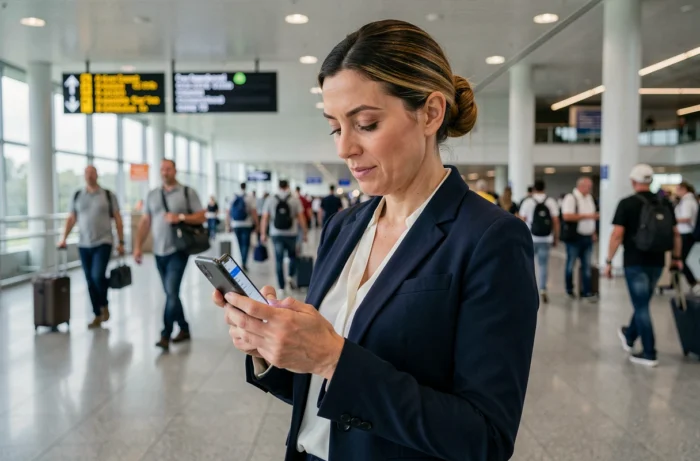
A craftsman finishing a job at a client’s site, a consultant leaving a meeting, a service provider at a trade show: they all share the same need. To create a quote or an invoice on the spot, without waiting to return to the office. Managing quotes and client invoices on mobile while on the move is no longer a comfort, it’s an operational necessity, especially with the upcoming reform of mandatory electronic invoicing.
Electronic invoicing 2026: what changes for mobile invoicing
Competitors talk about features. Before that, it’s essential to understand the legal framework that makes mobile invoicing even more strategic than before.
Starting from September 1, 2026, all companies established in France will need to be able to receive electronic invoices via an approved platform. Simple PDFs sent by email will no longer be recognized as compliant invoices.
The obligation to issue invoices is staggered. Large companies and mid-sized enterprises will go first, on September 1, 2026. SMEs, very small enterprises, and micro-enterprises will follow on September 1, 2027.
The penalties are not symbolic. The finance law for 2026 provides for a formal notice if no platform is designated, followed by a fine of 500 euros, and an additional 1,000 euros every three months until the situation is regularized.
For a mobile professional, this means that the application used on a smartphone must be connected to an approved platform. An invoicing tool that does not manage this connection will become unusable over time, even if it is convenient on a daily basis. Checking this point before choosing software helps avoid starting over in a few months. This is precisely what the solution devis et factures clients simplifie-ta-compta.fr offers by combining mobility and regulatory compliance.

Criteria for choosing a mobile invoicing application
Have you ever downloaded an invoicing application, created an account, and then abandoned it after three days because the interface was designed for a computer screen? This scenario is common. Not all applications that claim to be “mobile compatible” are equal.
Here are the criteria that make a difference when invoicing from a smartphone between two appointments:
- Input adapted to small screens: form fields should be wide, the product or service catalog accessible in two taps, and VAT calculated automatically. If you have to zoom in to fill out a field, the application is not designed for mobile.
- Offline access: on a job site in a rural area or in a basement, network coverage is not guaranteed. An application that synchronizes data as soon as the connection returns prevents losing a quote in progress.
- Conversion of quote to invoice in one action: the client accepts your quote on the spot, you convert the document into an invoice without re-entering the lines. This flow shortens the time between service and payment.
- Immediate sending by email or payment link: the client receives their invoice even before you leave the site. The shorter the delay, the faster the collection rate.
- Compatibility with future electronic invoicing: as explained above, connection to an approved platform is a blocking criterion in the medium term.
Mobile workflow: from quote to payment without going back to the office
Let’s take a concrete example. An electrician visits a private client for a diagnosis. He notes the work to be done, opens his invoicing application on his phone, and creates a detailed quote with the service lines and necessary materials.
The client reviews the quote on the phone screen or receives it by email within a minute. They accept. The electrician converts the quote into an invoice, adds a deposit if necessary, and sends everything.
What this changes compared to processing at the office
The time savings are measurable. Instead of writing down information on paper, going home, opening a spreadsheet or software on a computer, re-entering data, and then sending the document, everything is done in one step at the service location.
The risk of error also decreases. Copying handwritten notes leads to omissions of lines, amount errors, and confusion between clients. Direct input on mobile, with a pre-recorded service catalog, eliminates these intermediaries.

Common pitfalls of managing invoices on a smartphone
Mobility brings comfort, but it also introduces risks that are often underestimated.
First pitfall: neglecting backups. A phone can fall, be stolen, or break down. If your invoicing data is not synchronized on a remote server, you lose your quote history, your ongoing invoices, and your client database. Always prioritize a cloud application.
Second pitfall: using a tool that does not comply with mandatory mentions. A French invoice must include specific legal mentions (SIREN number, issue date, VAT details, payment terms). Some applications designed for other markets omit these elements. Ensure that your tool complies with French regulations before adopting it.
Third pitfall: multiplying tools. A quote on one application, the invoice on a spreadsheet, payment tracking in a notebook. This dispersion creates inconsistencies and complicates the accountant’s work at the end of the fiscal year. A single tool that covers the complete cycle (quote, invoice, reminders, payment tracking) reduces friction.
The question of document format
With the reform, the Factur-X format (a PDF containing machine-readable structured data) becomes the standard. Why does this matter on mobile? Because some applications generate “image” PDFs that cannot be processed automatically by approved platforms. Ensure that your application generates invoices in structured format, not just a visual PDF.
Managing your client quotes and invoices on the go is not just about installing an application. The choice of tool commits you to regulatory compliance for the coming years, the reliability of your accounting, and the speed of your collections. A professional who invoices on-site, with a tool connected to an approved platform and generates documents in the correct format, gains an advantage over those who postpone this transition.